Select Export in the editor header to deliver the active Timeline. The button is disabled while that Timeline is empty, so add at least one clip first.
Open the panel and choose an output
- Switch to the Timeline you intend to deliver.
- Select Export in the top bar.
- Choose the tab that matches the handoff.
| Tab | Result | Detailed guide |
|---|---|---|
| Video | H.264/MP4 or VP8/WebM finished video | Video, audio, and subtitles |
| Audio | Audio-only MP3 | Video, audio, and subtitles |
| Graphics | One transparent ProRes 4444 MOV per motion graphic | Transparent motion graphics |
| Subtitles | SRT or plain-text TXT from the active caption track | Video, audio, and subtitles |
| XML | FCP7 XMEML for Premiere Pro or DaVinci Resolve | Premiere / DaVinci XML |
| CapCut / Jianying | Editable destination-app draft | Editable Jianying / CapCut drafts |
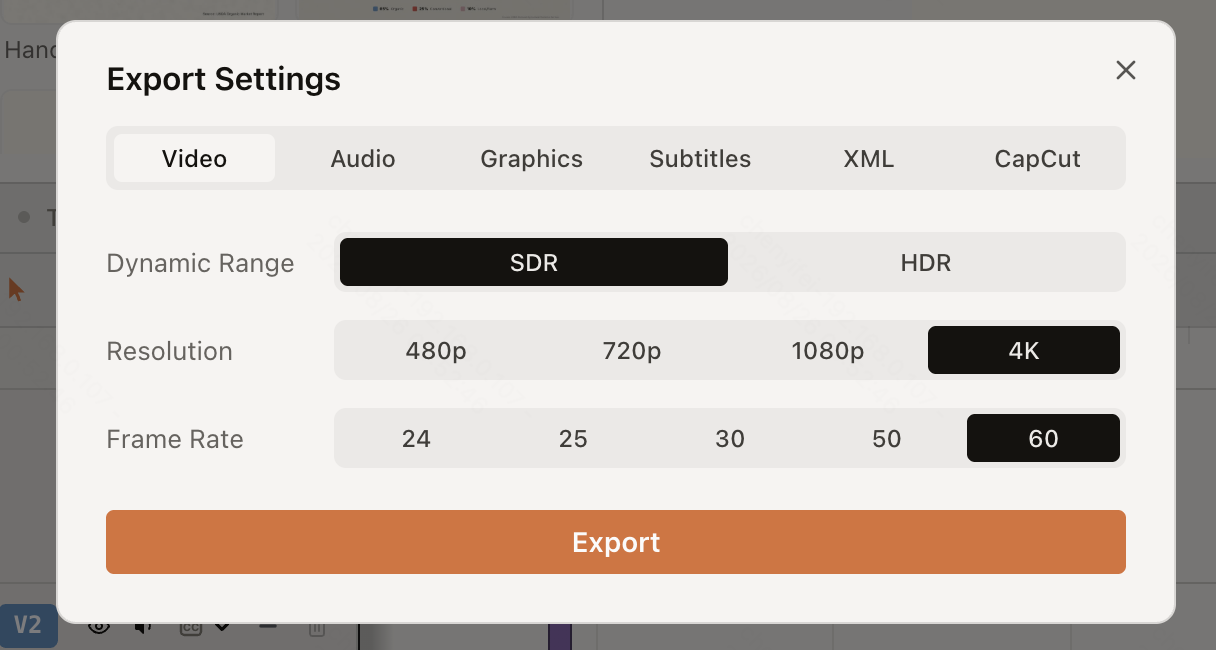
The CapCut or Jianying tab appears only when ChatCut Desktop detects a compatible installation on the same computer. It creates an editable project draft, not a finished video.
Compatible web video and audio export runs locally in the open browser. Select the intended Timeline before starting and keep the project tab open until export finishes. Agent Plugin video and audio export normally uses that editor’s browser renderer and reports an error when unavailable. If local export is unavailable, keep the project and original media and follow the displayed issue; try a compatible browser or adjust export settings when suggested. Before trying Desktop local video export, confirm that the project and its media are available there. See Web vs Desktop Export for local-export requirements and recovery.
Find the task after starting
File exports appear in the queue below the header Export button. Keep the editor open, then use Download again, View, Retry, Show in Finder, or Open when that action appears. See Export Queue, Downloads, and Retries for the queue’s retention limits.